
ibgib
Atom Code Editor - General Discussion, Blog Posts, Wiki
Popular Elixir Packages
List of popular Atom.io Elixir Packages. These can be installed via atom’s package center or a command line with apm install [package]:
atom-elixir
atom-elixir-playground
autocomplete-elixir
(@OvermindDL1: love it)

Config:
- Atom must be opened at a level with a
mix.exsfile - either umbrella or an application. If opened in a higher repo folder, autocomplete will not work. - Be sure to set elixir file path and erlang directory path in the package settings.

build-elixir
elixir-cmd
language-elixir
linter-elixir-credo
(@OvermindDL1: love it)
- Enables linting as you type(!)
- TIP: If you are using umbrella application, then a single
.credo.exsconfig file can be placed in the umbrella app’sconfigfolder.
phoenix-elixir-snippets
This contains snippets not only for the phoenix *.ex files (controllers, views, etc.), but also for templates. Very handy if you don’t want to keep typing <%= for ... %> and the like 
phoenix-migrations-navigation-atom
This allows you to quickly open the most recent migration in a phoenix app.
- Must have Atom opened with the phoenix app at the root.
Related Threads
-
I originally created this because I didn’t want to hijack the Famous thread any more on specifics with atom configuration, but I wanted to continue the discussion.
-
Also, a good thread is “Which code editor (or IDE) do you use?”
Most Liked

OvermindDL1
The mods (or people promoted to Level 4 I think) can split topics too, but since we cannot, here is my relevant post from there. 
I have installed:
- atom-elixir
- atom-elixir-playground (I’m not sure if I’ve ever touched this one yet though)
- autocomplete-elixir (love it)
- build-elixir
- elixir-cmd
- language-elixir
- linter-elixir-credo (love it)
- phoenix-elixir-snippets
I’m not entirely sure all which commands and functionality I use from which, but I like my work-flow.
EDIT: I also use Elm, and the atom-plugins for elm well out-do that for other IDE’s.
OvermindDL1
Hmm, it seems to work fine for me (not perfectly instant-appearing, though this is a quite a large project): https://overminddl1.com/screenshots/work/Atom-Elixir-0.gif
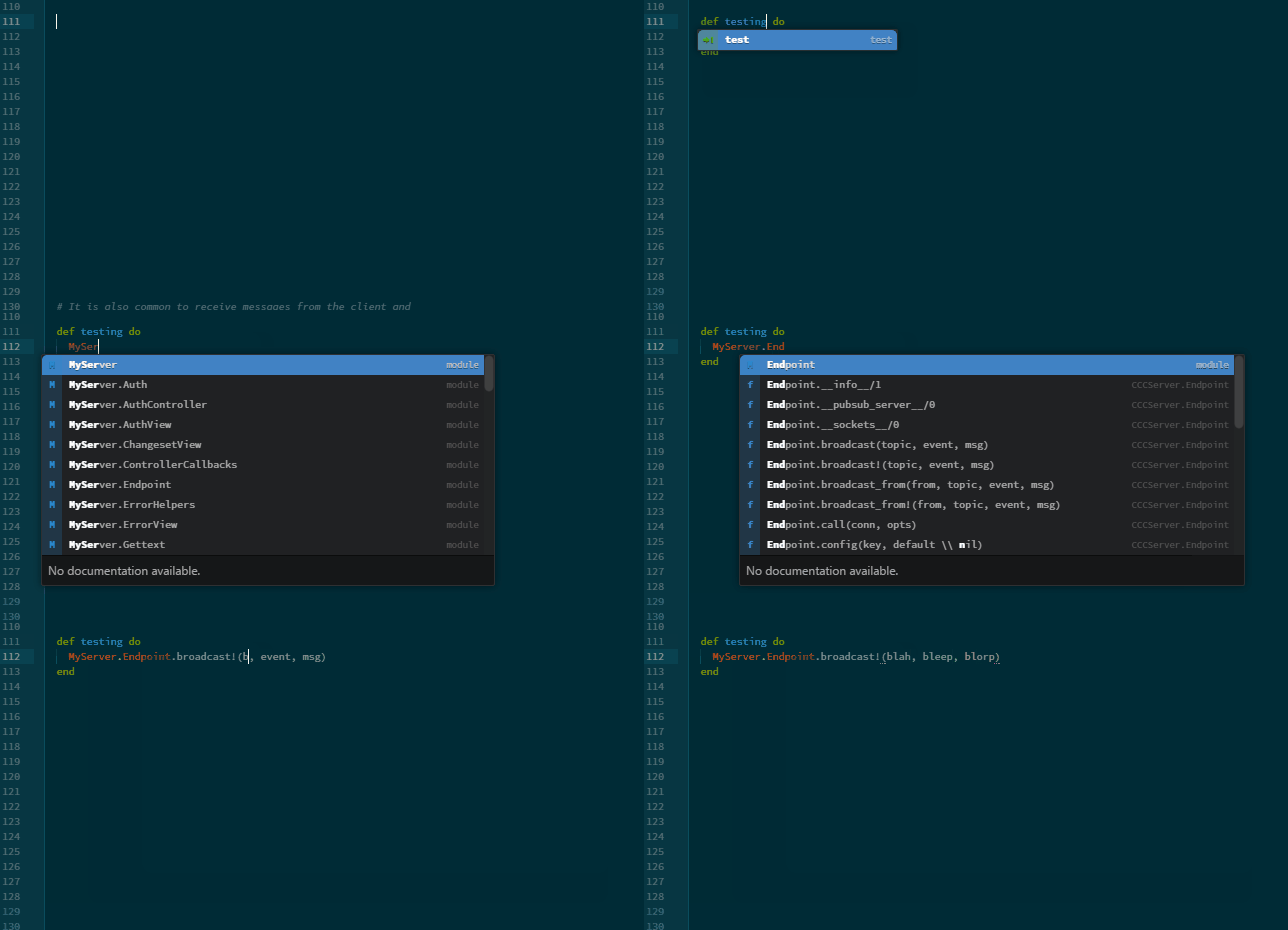
I’m just typing random stuff, occasionally have to stop to think of what to type next but it lets you see what is appearing at least. ^.^
ibgib
Hah. I was looking into one of the other packages you mentioned, elixir-cmd, and at the bottom of its readme it has:
it is active when the project has a mix file in its root directory
At some point in the past, I started using Atom at the base directory of my repo and not the umbrella app. This has brought back the functions. I wonder if atom-elixir works now.
Edit: Submitted a PR for the readme.
OvermindDL1
Heh, yeah almost all atom language packages work by assuming you open the project directory as the root, almost none can work otherwise. 
ibgib
Indeed. But should a newcomer to the ecosystem have to have that kind of special knowledge? I only ask in reference to ease the onboarding process. It’s always obvious once you know the answer!
Popular in Wikis








Other popular topics







Latest on Elixir Forum
Sponsor Spotlight

Practical resources that improve the lives of professional developers. By developers, for developers.
Categories:
Sub Categories:
Forums
Our Sponsors

Build Elixir applications with speed and confidence.

Supporting innovation across the BEAM ecosystem.

We build reliable cloud platforms for business-critical systems.

Catch errors, track performance, monitor hosts and more.
Practical resources that improve the lives of professional developers.

Develop your skills with books, videos, and courses.

Producing high quality Elixir screencasts since 2017.

Courses that'll move you from confusion to "Aha, now I get it!"